Full-stage family profile
Three-step onboarding captures age and stage, current challenges, goals, and optional context across school, language, food, medication, behavior, sleep, meals, and routines.
Turn family context into a practical next step.
An exploration of how family guidance can become more contextual, transparent, and responsible without replacing a parent's judgment.
Parents looking for useful structure around everyday family decisions.
Not publicly available
Product creator, operator, and development lead
01 / The operating problem
Kindred favors useful structure, visible sources, and parent-controlled decisions over false certainty.
02 / The product system
Guidance from expecting through age 18
Nineteen playable learning activities
Practical family tools with explicit safety gates
Parent-controlled plans, privacy, and follow-up
03 / Inside the product
This is the documented product direction and available build evidence—not a generic category promise.
Three-step onboarding captures age and stage, current challenges, goals, and optional context across school, language, food, medication, behavior, sleep, meals, and routines.
Five native areas connect accepted plans, stage-specific guides, sourced questions, a protected community preview, and family context into one iPhone experience.
Nineteen original activities span early learning through budgeting and media literacy, with Together Mode and a protected Child Mode that removes AI, community, accounts, links, purchases, and public rankings.
Co-parent Huddle, Food Explorer, Sibling Reset, Consequence Coach, Cleanup Quest, Sleep Support, Move Quest, Menu Helper, and real-world skill coaching each encode a bounded, reviewable workflow.
AI-composed answers show source IDs, review date, and original links. Deterministic client checks, duplicate server checks, and moderation route higher-risk situations away from ordinary guidance.
Profiles use protected, backup-excluded local storage; menu recognition stays on-device; private co-parent viewpoints are discarded; and the app includes consent, reset controls, a privacy manifest, and release gates.
04 / Guided workflow
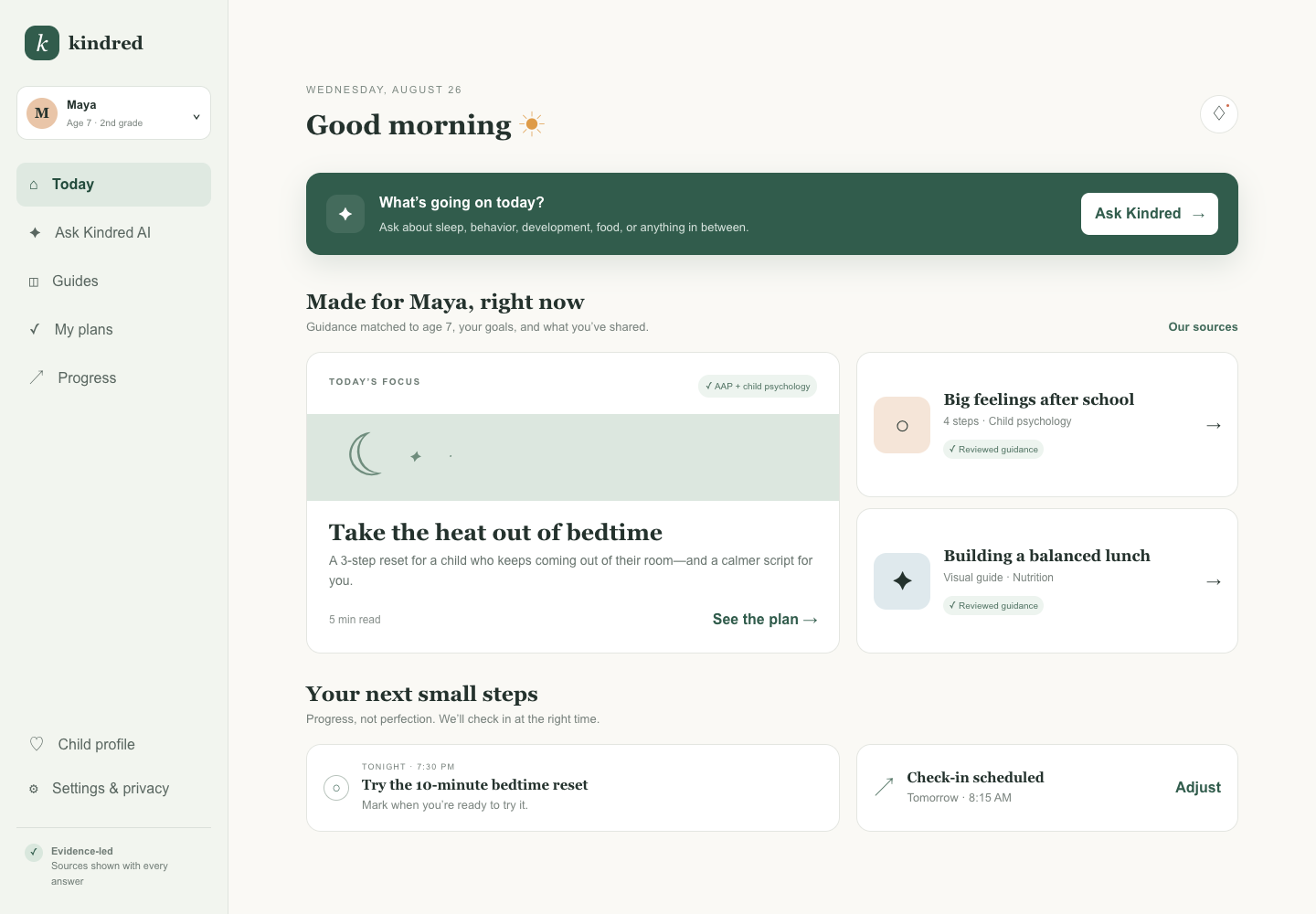
The screen above is an illustrative concept interface. This walkthrough explains the intended workflow and its decision boundary without claiming a working release.
Kindred · Product workflow · Chapter 1
Context before guidanceThe question is framed around the family's situation rather than a generic persona.
06 / The boundary
Kindred does not replace professional medical, legal, educational, or mental-health support.